Appraisers and umpires
Less document work. More clarity on the claim.
Review policy language, compare estimates, and convert PDFs into editable ESX files—with source references you can check.

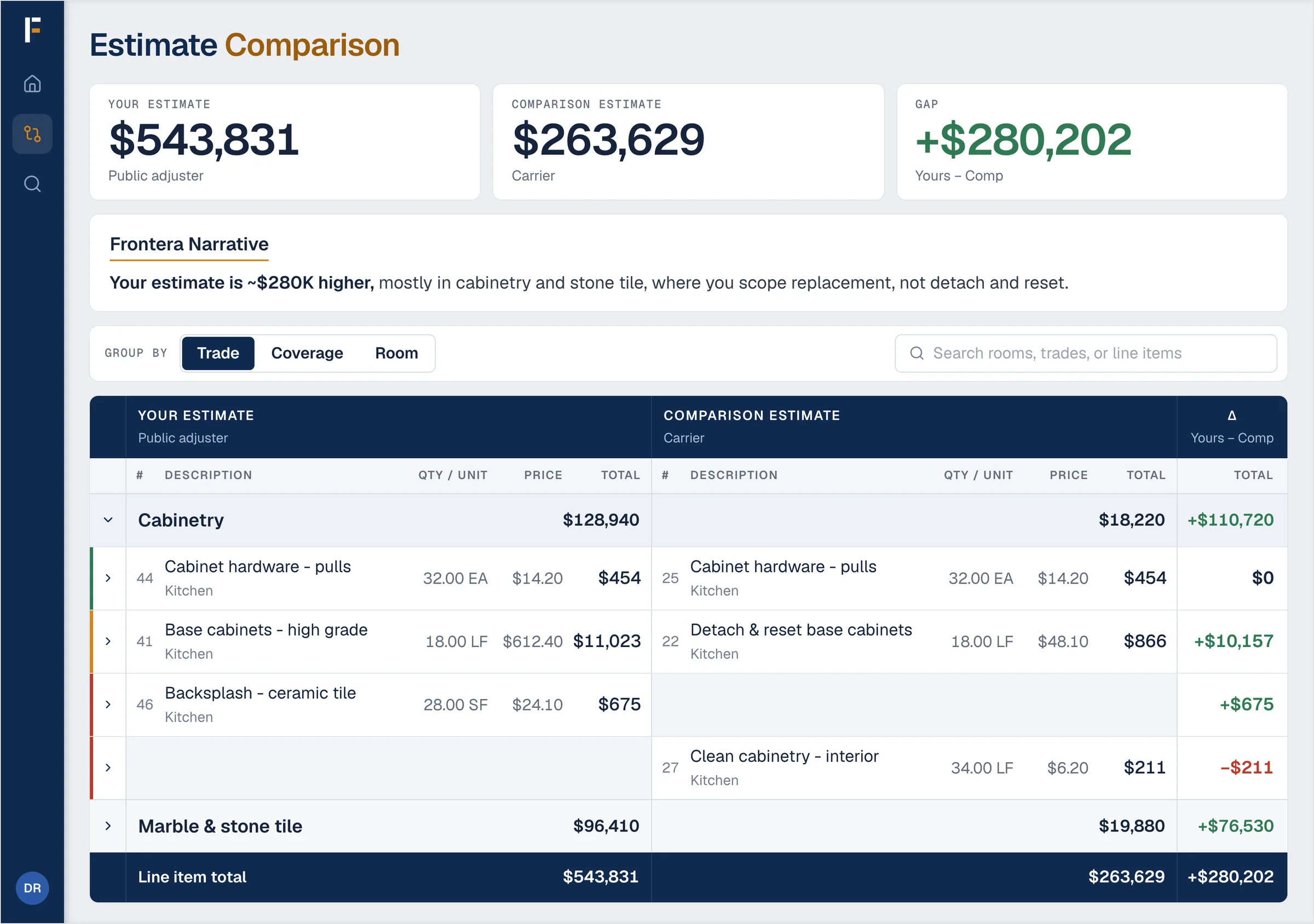
Estimate Comparison
Put two estimates side by side and locate every difference.
- Upload any two estimates, including Symbility, bids, contents, and any coverage type.
- See price and quantity differences line by line, mapped to Xactimate standard formats.
- Sort by trade, room, or coverage, then export to Excel.
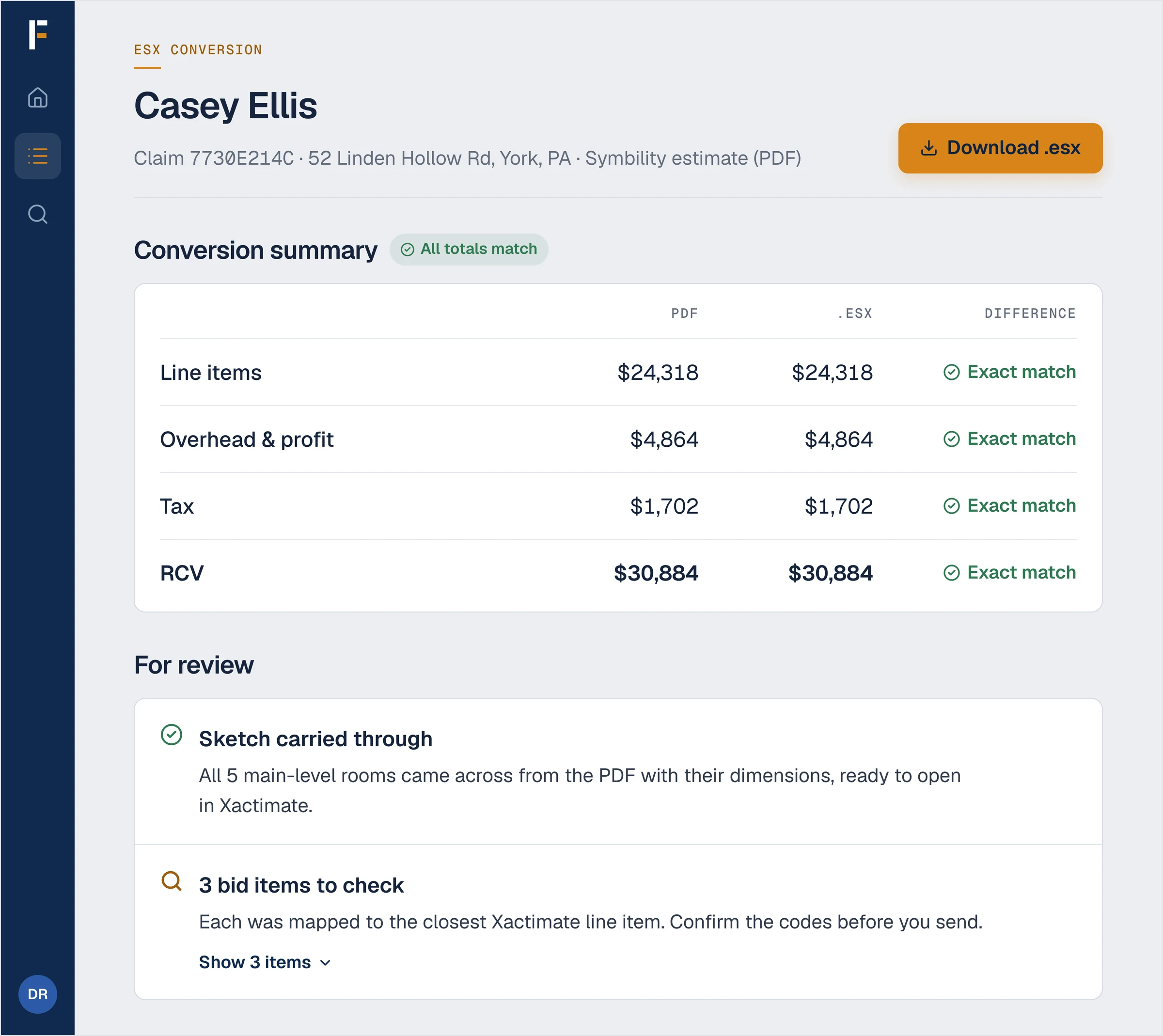
PDF to ESX
Convert PDF-only estimates to ESX so both submissions can be examined in the same format.
- Upload any estimate, including Symbility, bids, and other non-standard formats.
- The sketch comes with it.
- Get an ESX in minutes, ready to load into Xactimate and edit.
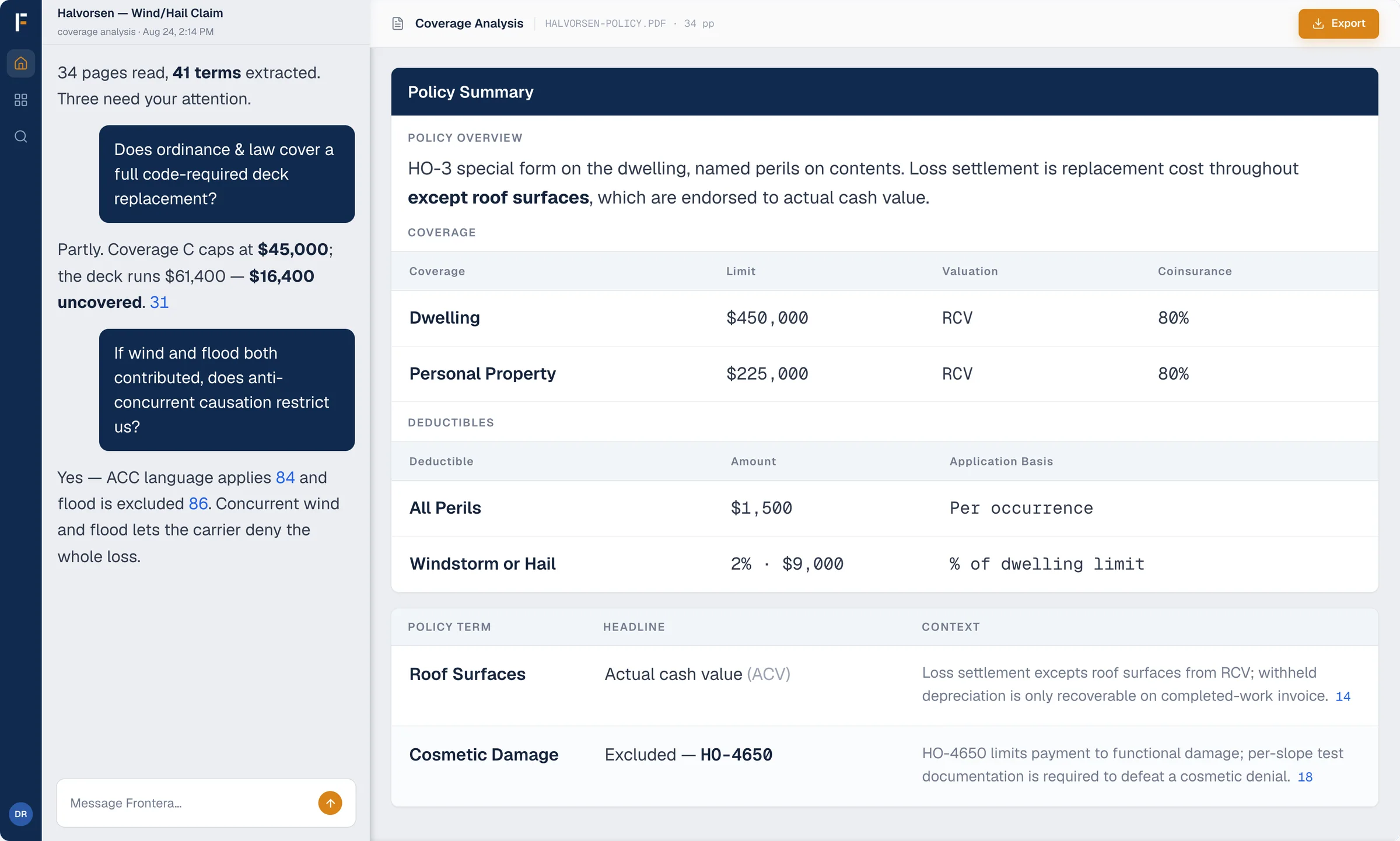
Coverage Analysis
Establish what the governing policy language says, with a citation behind every finding.
- Establish what the policy covers, with customizable review templates and a page citation behind every finding.
- Locate the policy provisions, exclusions, and endorsements that bear on the dispute.
- Verify every finding against a clickable page citation to the original language.
Practical resources
Keep the governing language and valuation framework in view
Use the Field Guide as a neutral reference for appraisal procedure, loss settlement, and valuation questions that shape the disputed amount.
Frequently asked
Common questions about appraisal.
Frontera handles the document work on both sides of an appraisal. Compare the two estimates line by line and see every price and quantity difference, even when each side organizes scope differently. When one side sends only a PDF, turn it back into an ESX you can open and edit in Xactimate. Deciding the amount of the loss stays with you.
Yes. The two sides of an appraisal rarely organize scope the same way. Frontera matches the estimates line by line and lets you sort and group by trade and room, or a custom mapping that mirrors either side's structure — every matched line shows its delta, and unmatched lines are surfaced rather than dropped.
No. Frontera analyzes documents and surfaces differences between them. It does not advocate for either party, communicate with anyone on your behalf, or reach conclusions about the value of a loss. Those judgments remain yours.
Yes. PDF to ESX turns it back into an ESX you can open and edit in Xactimate.
Usually. Frontera carries the sketch through to the ESX file along with the line items. If the source PDF is low quality, such as a blurry scan, part or all of the sketch may not come through, and Frontera flags it so you can check it in Xactimate.
Every finding links back to its source: a page citation in the policy, or the matching lines in each estimate, so you can check it yourself. Frontera is built to be verified rather than trusted on faith.
All claims data is encrypted in transit and at rest. Frontera will never sell your data to external parties or share it with competitors — your documents and analyses are accessible only to you and your authorized team members.
Choose a monthly, annual, or à la carte plan, and start with a 14-day free trial. Every plan includes all four products and unlimited seats, and larger teams can talk to us about a custom plan. See pricing
Ready to resolve appraisals faster?
See how Frontera establishes what the policy says, compares two estimates, and cites the source language behind every finding.